PDF Splitter
Secure Windows Desktop Application to split PDF files
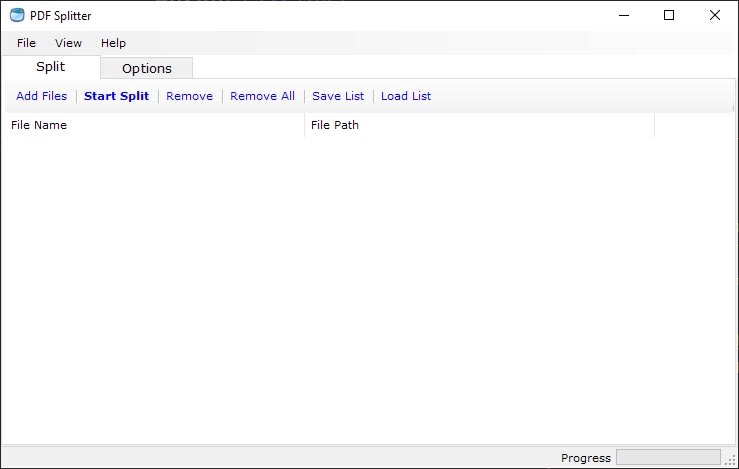
Local Splitting with Complete Offline Security
Lightning-Fast Splitting Performance
Efficient Batch Processing for Multiple PDFs
Versatile Splitting Options for Customized Output
Easily manage and split large PDF files with our cutting-edge PDF Splitter software, designed specifically for Windows users. Operate fully offline for maximum privacy and security, ensuring your data remains safe without any risk of unauthorized access. No internet connection is needed—split your PDF documents locally with confidence.
Fast and Reliable PDF SplittingSplit PDF files at blazing speeds with our high-performance PDF splitter. Whether you're working from home, in the office, or on the move, our software quickly separates your PDF documents into individual pages or sections in just seconds. Stay productive with fast and efficient PDF splitting, no matter where you are.
Streamlined Batch PDF SplittingSimplify your workflow with our powerful batch PDF splitting feature. Process multiple PDFs in one go, saving you time and effort. Whether you need to split a handful of files or handle hundreds, our batch processing ensures you can manage large volumes of PDFs without having to split each document one by one.
Designed for High-Volume SplittingPerfect for large-scale projects, our PDF Splitter handles high volumes with ease. Whether you're splitting a few large PDFs or managing extensive document collections, this robust tool delivers fast, reliable results. Simply load your files or folders, customize your settings, and let the software do the rest—your PDFs will be separated into individual files in no time.
Flexible Splitting Options for Maximum ControlTake full control over how you split your PDFs. Our flexible options allow you to split each PDF into individual pages, split by every X pages, or select custom page ranges for precise extractions. No matter your requirements, our PDF Splitter adapts to your needs, giving you the flexibility to split your documents exactly how you want.
Why Split Large PDFs?While large PDF files are useful for storing comprehensive documents, splitting them into smaller files can improve usability. Separate pages or sections can be easily shared, edited, or organized. Whether you need to extract key sections for presentations, web use, or collaboration, splitting PDFs into smaller parts offers greater flexibility and control.
ConclusionOur PDF Splitter for Windows is the ultimate solution for fast, secure, and user-friendly PDF management. Whether you're handling small projects or splitting large volumes of PDFs, this software delivers unmatched flexibility and performance. Download the best PDF Splitter for Windows today and enjoy hassle-free document splitting at its finest.
License Pricing
Lifetime license with one-time purchase | Free upgrades | 15-day money-back guarantee | Secure payments via FastSpring
Secure Payments via FastSpring
We partner with Bright Market, LLC, dba FastSpring, located at 801 Garden St., Santa Barbara, CA 93101, USA, for secure and efficient payment processing. Once your order is complete, FastSpring will immediately send a license key to the email address associated with your order. To activate your license, simply enter the key in the app. For your privacy, FastSpring does not share any sensitive payment information, such as credit card details, with us. Your transaction is completely secure.
One-Time Purchase with Lifetime License
Enjoy a lifetime of access with just a one-time purchase of our JPG to PDF converter. Once you’ve acquired the license, there are no recurring fees or subscriptions. This lifetime license provides you unlimited use of our powerful conversion tools, making it a valuable, long-term investment for users who frequently work with image to PDF conversions.
Free Lifetime Upgrades
Stay up-to-date with all the latest features and enhancements, free of charge. Our lifetime license includes complimentary upgrades, ensuring you always have access to the most optimized and advanced version of our converter. Whether it’s new settings, increased speed, or enhanced usability, you’ll receive every improvement at no additional cost.
15-Day Money-Back Guarantee
We're confident you'll find our converter indispensable, but we understand that every user's needs are different. That's why we offer a 15-day money-back guarantee with your purchase. Try the software, explore its features, and if you're not fully satisfied, we'll gladly refund your payment within this period — no questions asked.